
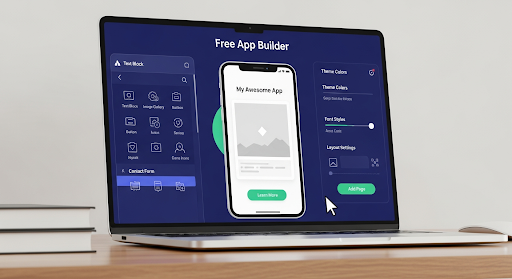
Nowadays, everyone has app ideas, but not everyone can code. Thankfully, free online app builder platforms now make it possible to turn concepts into fully functional applications without writing a single line of code. Whether you’re an entrepreneur, small business owner, or creative individual, these tools empower you to bring your vision to life quickly and efficiently. With intuitive drag-and-drop design, pre-built templates, AI assistance, and seamless integrations, anyone can create polished, scalable, and user-friendly apps with ease.
Why Choose a Free App Builder?
Traditionally, building an app required hiring developers, managing budgets, and spending months on coding and debugging. Now, with a free app builder, you can bypass these hurdles entirely. These platforms provide drag-and-drop interfaces, pre-built templates, and AI-powered tools that simplify app creation. This approach not only saves time and money but also allows you to focus on designing a user-friendly interface and refining your app’s functionality.
Using a free online app builder enables you to prototype your ideas, test features, and even launch fully operational apps without technical expertise. This democratization of app development has opened opportunities for innovators of all backgrounds to compete in the digital space.
Key Features of a Free Online App Builder
Modern free app builder platforms come equipped with features that make app creation intuitive and efficient:
1. Drag-and-Drop Interface
The drag-and-drop functionality allows you to add buttons, text boxes, images, and interactive elements effortlessly. You don’t need coding skills; simply place the components where you want them, customize their appearance, and your app starts to take shape in real time.
2. Pre-Built Templates
Templates provide a strong starting point for your app. With ready-made designs for e-commerce, fitness, budgeting, CRM, and more, you can choose a template that fits your idea and personalize it with your brand colors, logos, and fonts. Templates significantly reduce development time while maintaining a professional look.
3. AI-Powered Assistance
Some free online app builder platforms now integrate AI tools to help generate app workflows, user stories, and even datasets. AI assists in creating an app that’s tailored to your target audience and enhances user engagement. This feature ensures that even first-time creators can produce high-quality apps.
4. Seamless Integrations
Connectivity is essential. A robust free app builder supports integrations with third-party tools, APIs, and services. Whether you need to connect your app to payment gateways, analytics platforms, or communication tools, these integrations expand your app’s capabilities without requiring complex code.
5. Scalability and Cloud Hosting
As your user base grows, your app must handle increased traffic. Many free app builders offer scalable cloud hosting solutions, ensuring your app remains fast and reliable. This allows you to start small and scale effortlessly without worrying about infrastructure management.
6. Responsive Design
Mobile-first is the standard. With a free online app builder, you can design apps that work seamlessly on smartphones, tablets, and desktops. Responsive design ensures a consistent experience across devices, enhancing user satisfaction and retention.
7. Analytics and Performance Tracking
Understanding how users interact with your app is crucial. Analytics dashboards within these platforms allow you to monitor user behavior, feature engagement, and app performance. Insights gained can help refine your app and improve user experience continuously.
Benefits of Using a Free App Builder
Using a free online app builder offers numerous advantages:
- Cost-Efficient: No need for expensive development teams or coding knowledge.
- Time-Saving: Launch apps in days, not months.
- Accessibility: Anyone can create apps regardless of technical expertise.
- Experimentation: Test multiple app ideas quickly without significant investment
- Professional Results: Templates and AI assistance ensure polished, functional apps.
These benefits make it easier for startups, solopreneurs, and even established companies to prototype innovative solutions and reach their audience faster.
Step-by-Step Guide to Creating an App Without Coding
Here’s how to get started with a free app builder:
Step 1: Define Your Idea
Begin by clearly outlining the purpose of your app. Identify your target audience, key features, and the problem your app solves. A well-defined idea ensures a smoother development process.
Step 2: Choose a Template or Start from Scratch
Select a template that aligns with your concept, or build a custom app layout. Templates accelerate the process, providing a structure while still allowing personalization.
Step 3: Customize Features and Design
Use the drag-and-drop interface to add components like buttons, forms, charts, and media. Adjust colors, fonts, and layouts to match your brand identity. AI tools can assist in optimizing workflows and recommending user-friendly designs.
Step 4: Integrate Services
Connect your app with necessary third-party services, such as email marketing tools, payment gateways, or analytics platforms. These integrations enhance functionality without writing code.
Step 5: Test and Preview
Preview your app on different devices to ensure responsiveness and usability. Test all features thoroughly and gather feedback from early users or team members.
Step 6: Publish and Monitor
Once satisfied, publish your app to web or mobile platforms. Use built-in analytics to track performance and user engagement, making improvements as needed.
Choosing the Right Free Online App Builder
When selecting a platform, consider:
- Ease of use and interface intuitiveness
- Availability of AI-powered assistance
- Range of templates and design options
- Integration and scalability capabilities
- Analytics and performance monitoring
- Pricing for advanced features once your app grows
A platform that balances simplicity with powerful tools is ideal for creating professional apps quickly.
Conclusion
Creating apps no longer needs coding skills. With a free online app builder, you can quickly turn ideas into functional, scalable apps. Drag-and-drop design, AI assistance, pre-built templates, and seamless integrations make app creation easy and efficient. Anyone can build visually appealing, user-friendly, and fully functional apps without technical expertise, saving time and effort.
Workmaster provides a powerful platform for app creators to build apps effortlessly. With a free app builder, AI-powered tools, seamless integrations, and scalable solutions, you can design, launch, and grow your apps without coding. Bring your ideas to life quickly and efficiently, leveraging innovative features that simplify development and enhance user engagement from start to finish.
 jacky
jacky