
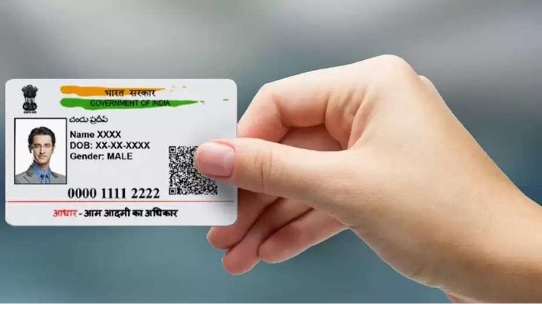
The Aadhaar card has become an essential identity document for Indian residents, offering not only proof of identity but also serving as a gateway to numerous services such as banking, healthcare, and government schemes. However, errors in your Aadhaar card details—like your name—can lead to inconveniences and delay access to essential services. Thankfully, the Aadhaar card name correction process is simple to tackle. In this comprehensive guide, we’ll walk you through the necessary steps to complete your Aadhaar card name change process quickly and correctly.
Why Is Name Correction Important in Aadhaar Card?
Before diving into the process, it’s crucial to understand why updating your Aadhaar card with the correct name is essential. Imagine applying for a loan, registering for government welfare programs, or opening a new bank account—any discrepancy between the name on your Aadhaar card and other official documents can put your application on hold or lead to rejection. A name correction ensures your Aadhaar card details align with other documents and avoids potential hassles.
When Should You Update Your Aadhaar Card Name?
A name correction may be necessary in situations such as:
- Spelling errors: Typos in your name can cause significant issues while using your Aadhaar card.
- Change after marriage: Many women change their last name or adopt a new surname after marriage and need to update their Aadhaar card accordingly.
- Name change due to legal reasons: A court-ordered name change or other legal procedures often requires Aadhaar card updates.
- Minor corrections: If your name on Aadhaar doesn’t exactly match official bank records or other identity documents, correcting it ensures consistency and avoids confusion during document verification.
Steps to Complete Aadhaar Card Name Correction Quickly
The process for Aadhaar card name correction has been streamlined by the Unique Identification Authority of India (UIDAI) to make it quick and easy. You can complete the process online or at an Aadhaar enrollment center.
Step 1: Visit the Aadhaar Update Portal
The UIDAI facilitates a flexible online name correction system for Aadhaar card holders. To begin the process:
- Visit the UIDAI official website at https://uidai.gov.in.
- Navigate to the Aadhaar Self-Service Update Portal.
If you don’t have access to the online portal, no worries—simply visit the nearest Aadhaar enrollment center.
Step 2: Login with Your Aadhaar Number
On the portal, log in using your Aadhaar number along with the registered mobile number. You will receive an OTP (One-Time Password) for authentication. This step ensures that only authorized individuals can edit Aadhaar card details.
Pro Tip: If you’ve forgotten your registered mobile number, use the Aadhaar download using mobile number option to retrieve your updated details.
Step 3: Request Name Correction
After logging in, select the “Update Aadhaar Details” option and choose to update your name. You’ll need to input the correct name spelling and provide supporting documents to verify your request. Acceptable documents for name verification include:
- Passport
- PAN Card
- Voter ID
- Marriage Certificate (for post-marriage name changes)
Ensure the name provided matches perfectly with the name on the document uploaded!
Step 4: Upload Proof of Identity
After entering your corrected name, upload scanned copies of supporting ID proofs. Ensure the scanned documents are clear and compliant with UIDAI guidelines.
Step 5: Pay the Service Fee
There is a nominal fee of ₹50 for the name correction request. You can make this payment online via internet banking, debit card, or other payment options.
Step 6: Submit the Request
Once all necessary details and documents are uploaded, confirm the details and submit your name correction request. You’ll receive a unique Update Request Number (URN) to track the status of your name correction application.
Step 7: Download Updated Aadhaar
Once your name correction request is processed, you can use the Aadhaar download using mobile number functionality to quickly retrieve your updated Aadhaar card.
How Long Does the Process Take?
After submission, the verification of details and documents by UIDAI typically takes 5-7 working days. However, the processing time may extend during periods of high demand. Following approval, your Aadhaar card with the corrected name can be downloaded immediately through the UIDAI portal.
Tips for a Smooth Aadhaar Card Name Correction Process
- Double-check the name: Ensure your correct name matches official documents before submitting. Small errors can lead to rejection of your application.
- Submit accurate documents: The uploaded ID proofs need to match the requested corrections exactly. Make sure the documents are legible and meet UIDAI standards.
- Keep your URN safe: The Update Request Number is your lifeline—keep it handy to track your application.
- Update mobile number if required: If your registered mobile number isn’t working, update it to access online services such as Aadhaar download using mobile number.
- Avoid third-party agents: Always use official UIDAI services to avoid unnecessary complications.
Updating Aadhaar Details Offline at Enrollment Centers
Not comfortable updating your Aadhaar card online? You can opt for the offline method at your nearest Aadhaar enrollment center. Here’s how:
- Visit the center with original and photocopied documents supporting the requested name correction.
- Fill out the Aadhaar correction/update form carefully.
- Submit your form and documents to the executive. Pay the correction fee of ₹50.
- Collect an acknowledgment receipt containing the Update Request Number (URN).
You can later check your application status online or download your updated Aadhaar using your mobile number.
Using Aadhaar Download Using Mobile Number Facility
Once your name correction is approved, you can use the Aadhaar download using mobile number feature to obtain a soft copy of your updated Aadhaar card. Here’s how:
- Visit the UIDAI website and click on the “Download Aadhaar” option.
- Enter your Aadhaar number or Enrollment ID (EID) along with your mobile number.
- Authenticate your request using an OTP sent to your mobile phone.
- Download the PDF file containing your updated Aadhaar card. Use your date of birth (in DDMMYYYY format) as the file password.
This method is particularly helpful for accessing your Aadhaar instantly without waiting for the physical card to arrive.
Common Issues During Name Correction
While the Aadhaar card name correction process is straightforward, some problems may arise:
- Incomplete documentation: Missing or invalid documents can delay the process.
- Mismatch errors: If the corrected name differs from the name on the submitted documents, your request may get rejected.
- Wrong OTP delivery: Make sure your registered mobile number is active to receive OTPs for authentication.
To resolve these issues, carefully follow instructions provided by UIDAI and double-check submitted details.
Conclusion
The Aadhaar card name correction process is vital for ensuring that your identity document accurately reflects your personal details. Whether you need to correct a typo, update your name after marriage, or make any other name adjustment, UIDAI provides a streamlined system to help you complete the changes quickly and correctly. From the online update portal to offline visits to enrollment centers, you have access to easy options for updating your Aadhaar card.
By following the steps outlined in this guide and leveraging tools like Aadhaar download using mobile number, you can minimize delays and ensure a hassle-free experience. Keep your details accurate and up to date so your Aadhaar card can serve you well across various sectors, including banking, healthcare, and governmental services.